A store that feels like yours.
Present your catalogue with clear product choices, your own branding and a checkout that stays connected.
Explore storefrontsStores. Payments. Delivery. Together.
Sell software, subscriptions and digital products. Bring your stores, customers and next growth opportunity into one place.
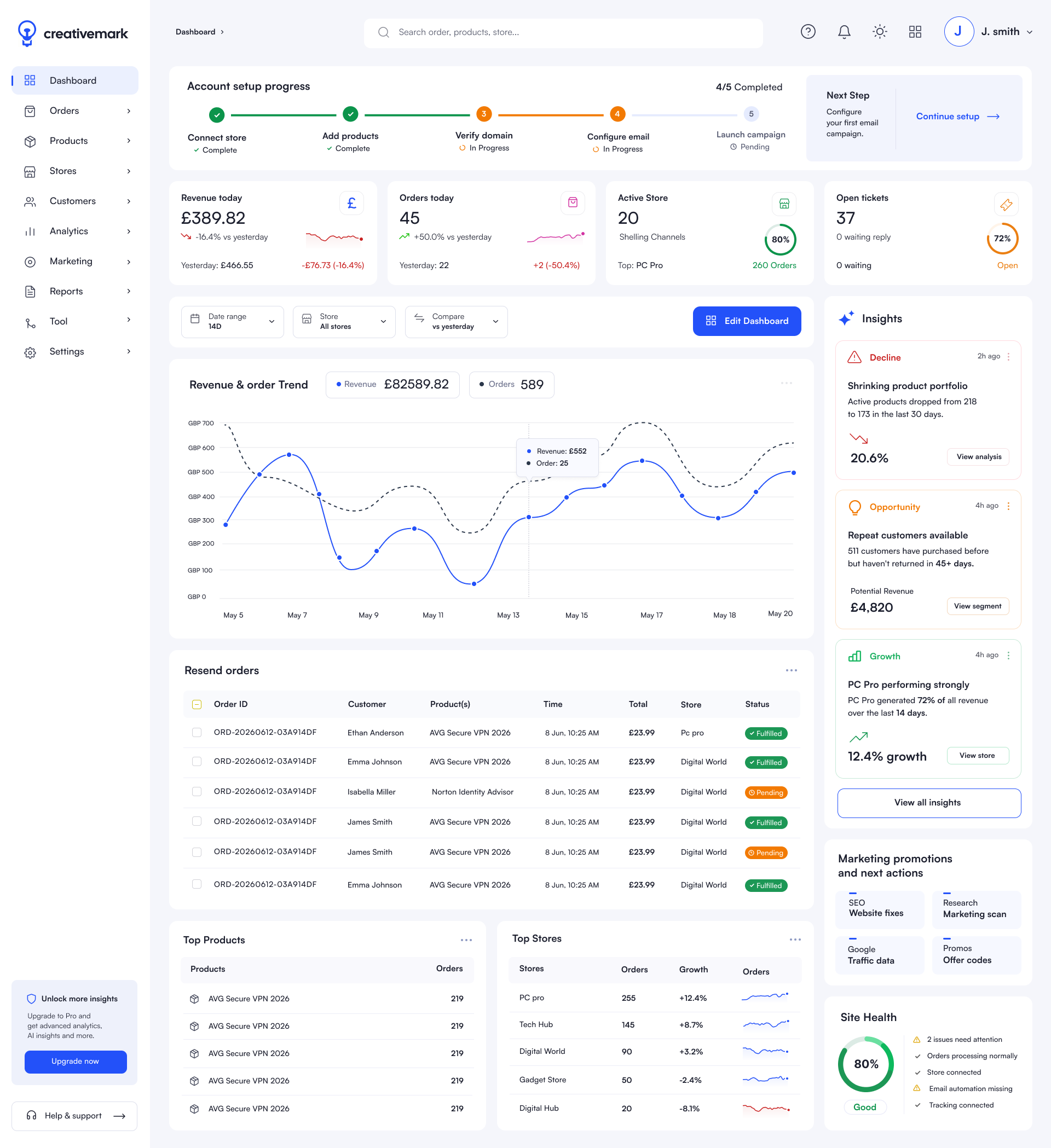
Present your catalogue with clear product choices, your own branding and a checkout that stays connected.
Explore storefrontsOne-off purchases, subscriptions and B2B billing, with orders and customer records in the same place.
Explore checkoutDeliver licence keys and files after payment. Help customers find their purchases and keep coming back.
Explore digital deliveryOne platform, start to finish
Choose an area to see the current workflow. Availability can vary by plan, country, connected provider and account configuration.
Keep each store's catalogue, customer experience and operating context separate while the account team works from one platform.
What the workflow covers
Related capabilities
Manage product details centrally, then set store assignments, translated content and media for the markets where each product is sold.
What the workflow covers
Related capabilities
Use an assigned, tested template, apply approved store branding and connect the payment services available to the account.
What the workflow covers
Related capabilities
Link products to key inventory and delivery files, then monitor fulfilment from the order operation.
What the workflow covers
Related capabilities
Give operations teams one place to review orders, customer history and linked support conversations.
What the workflow covers
Related capabilities
Operate B2B purchasing, vendor access and affiliate activity without folding every user into the same back office.
What the workflow covers
Related capabilities
Use SEO scans, newsletter campaigns and account connectors with the stores, products and customer segments they serve.
What the workflow covers
Related capabilities
Use reporting for visibility and Cai for a guided growth conversation based on the connected store, product, order and marketing context available.
What the workflow covers
Related capabilities
Storefronts and themes
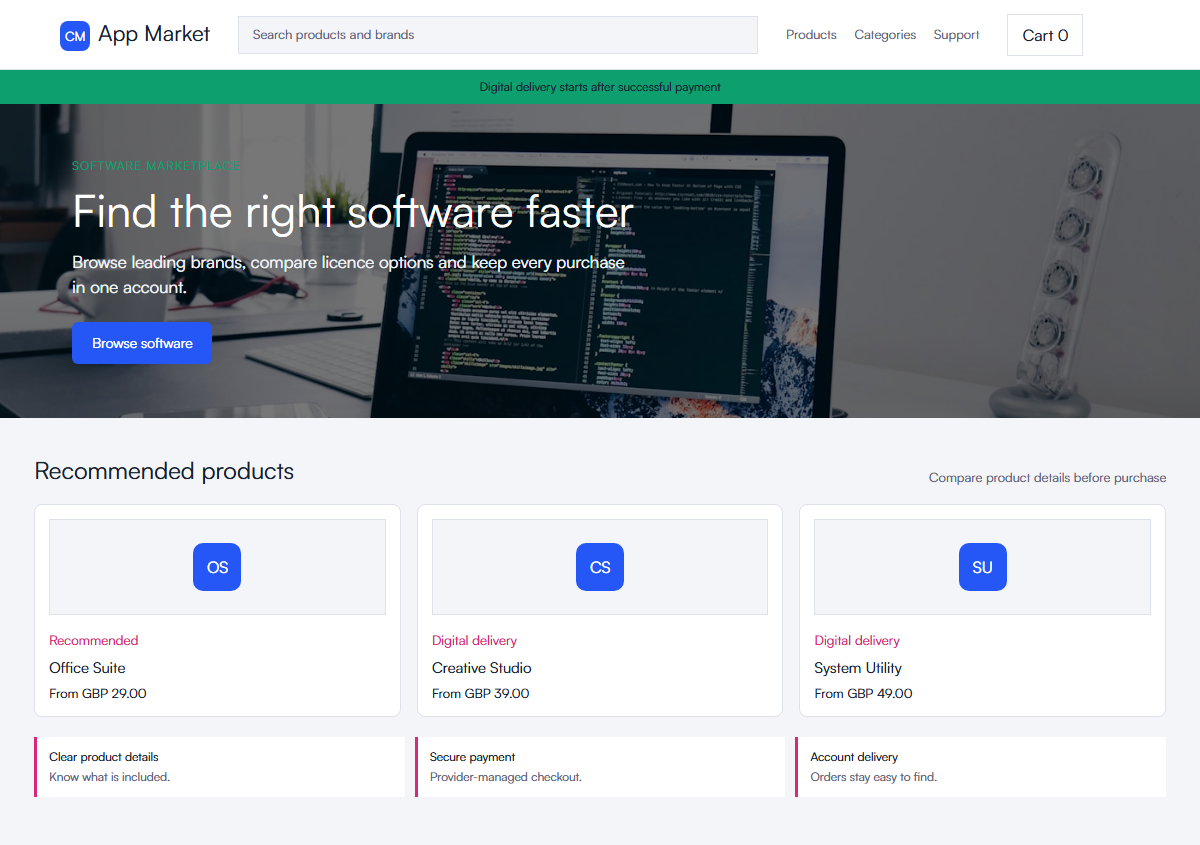
Start from a storefront theme, then shape product pages, cart and checkout around how customers compare and buy digital goods.
Explore the builderSelected customer experience
Help customers search, compare and choose from a larger software catalogue without losing their place.
Cai guided growth
Cai brings your store, order and marketing signals together to suggest a useful next step. Review the evidence, approve the action and follow the result.
Opportunity found
Your returning buyers are approaching a natural renewal window. The clearest next opportunity is a focused return offer using products they already know and trust.
Want to see the first move?
Questions
Creativemark is a digital commerce platform for running stores, products, checkout, digital fulfilment, customer operations, sales channels, marketing and reporting from one account.
Creativemark is built for software, licence keys, downloads, documents, subscriptions, bundles and other digital products that need reliable delivery after checkout.
Cai continuously reviews store, product, order and marketing signals, prioritises the strongest next opportunity, prepares a practical action for review and follows up on the result.
Yes. Creativemark keeps each store's catalogue, customer journey and operating data in the right store context while the account team works from one platform.
Where supported, Cai prepares editable changes for an authorised user to review and approve. Higher-risk actions stay behind clear confirmation.
Yes. Creativemark provides developer APIs, webhooks and guided provider connections, with availability depending on the provider and account configuration.
Creativemark includes store SEO views, newsletter campaign workflows, reports, affiliate operations and supported account connectors. Available actions depend on the store data and services connected to the account.
Let's get you selling
Start with one store or bring your whole catalogue. We'll help you connect the pieces.